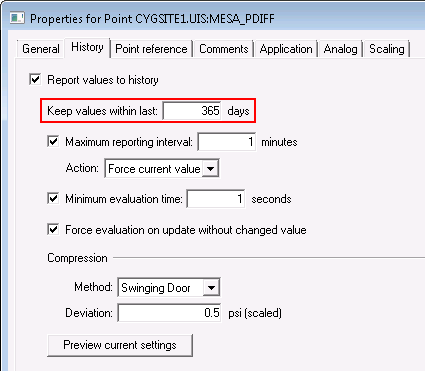
Data values for this point will be kept for 365 days
The Keep values within last setting specifies the period of time (in number of days) prior to now that CygNet will keep data points in the VHS. Only data points with timestamps inside this time range will be retained. Once data ages past the configured number of days it is deleted from the VHS.
Set this value to the number of days you require access to the data. The maximum period is 9,999 days.
When modifying the Keep values within last n days property for a point, the Point service will send a message to the UIS that the value history period has been changed. The UIS will then send that data to the associated VHS. If the UIS is queued up, it may take a while for the message to make its way to the VHS.
In addition to the value history period for specific points, the VHS itself can be configured with a minimum retention period (using the optional service configuration keyword MINIMUM_EXPIRE_DAYS). If this option is active, the longer of the two retention periods will take precedence. Old VHS values that have passed their retention period are removed by a background maintenance task when the VHS is idle.
|
|
|
Data values for this point will be kept for 365 days |
Note: Keep values within last (keepvaluewithindays) replaced History On Line Days (historyonlinedays), which is now obsolete, although the old attribute has been retained for backwards compatibility.
|
|
|

